Drums
AccuSOLO provides a means of managing EO drums.
Drum Database Management
To access the drum management module, click the Manage Drums button on the main toolbar:
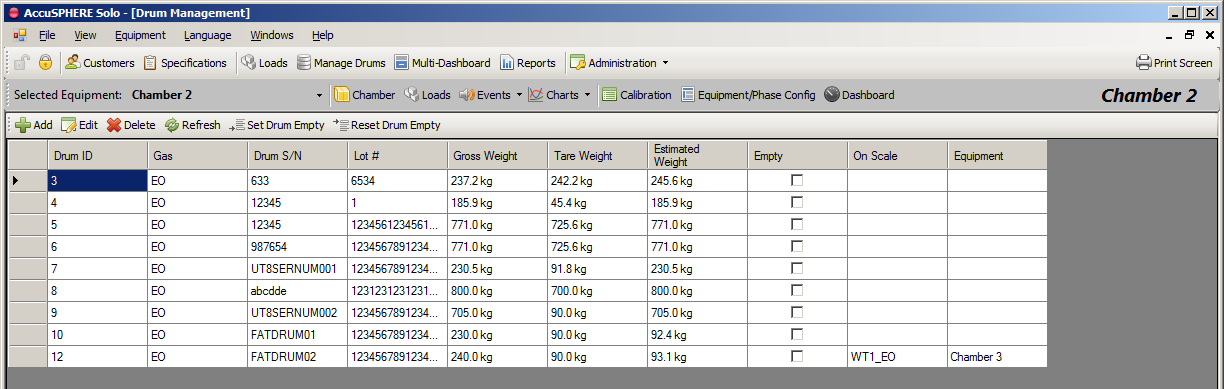
The AccuSOLO drum management interface will support the following functions:
-
Add a new drum
-
System will assign a unique ID
-
Serial number and lot number are entered by the user
-
The lot number will be at least 20 characters
-
The tare weight must be greater than the Minimum_EO_Drum_Tare_Weight (System Configuration Parameter)
-
The gross weight must be greater than the Minimum_EO_Drum_Tare_Weight (System Configuration Parameter) If the gross weight is less than the Minimum_EO_Drum_Gross_Weight (System Configuration Parameter), the user will have to confirm that a partial drum is being added before continuing.
-
The system will not allow entry of a drum if the drum’s gross weight is greater than the Maximum_EO_Drum_Gross_Weight (System Configuration Parameter).
-
-
-
Deleting a drum:
-
Only drums that have not been used can be deleted
-
-
Set or reset drum empty:
-
Ability to set a drum to be empty
-
Ability to reset an empty drum so that it is no longer considered empty by the system
-
-
Add Drum Expiry Date:
Optional 'Expiry Date' field will be added to the 'Add Drum' form and will be displayed on the Drum Management grid. The application will not allow user to enter an expiry date that is in the past.
Note: The Drum Administrator role will have access to the form to create/edit a drum including Expiry Date.
Drum Change Minimum Requirements
In order to remove or assign a drum, the following conditions must first be satisfied:
-
Drum removal must NOT already be in progress
-
Chamber must NOT be in Run mode if the cycle is in any of the following phases:
-
EO Inject (via Pressure, Concentration, or Weight) or
-
EO Dwell phase
-
Drum Change Sequence
The following drum removal and assignment sequences must be followed.
Drum Removal
-
Removing a drum that is currently assigned to a subsystem:
-
The drum change must be allowed as described in section Drum Change Minimum Requirements.
-
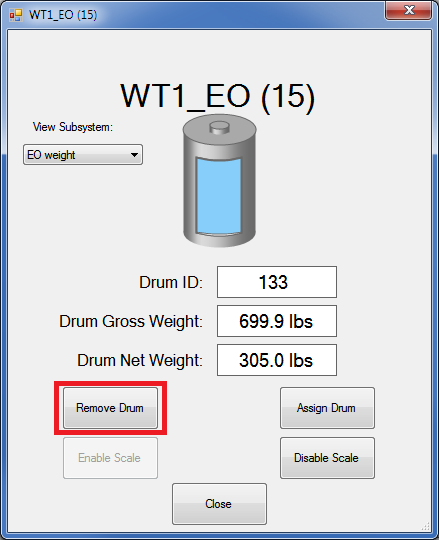
Execute the drum remove command.
-
System will un-assign the drum in the database and PLC (Drum ID will be zero) and latch the “drum removal in progress” bit for the specific subsystem.
-
The system will indicate to the user when it is OK to physically change the drum (“OK to change drum” output will be turned on)
-
When OK to change drum is indicated, physically remove the drum from the scale
-
-
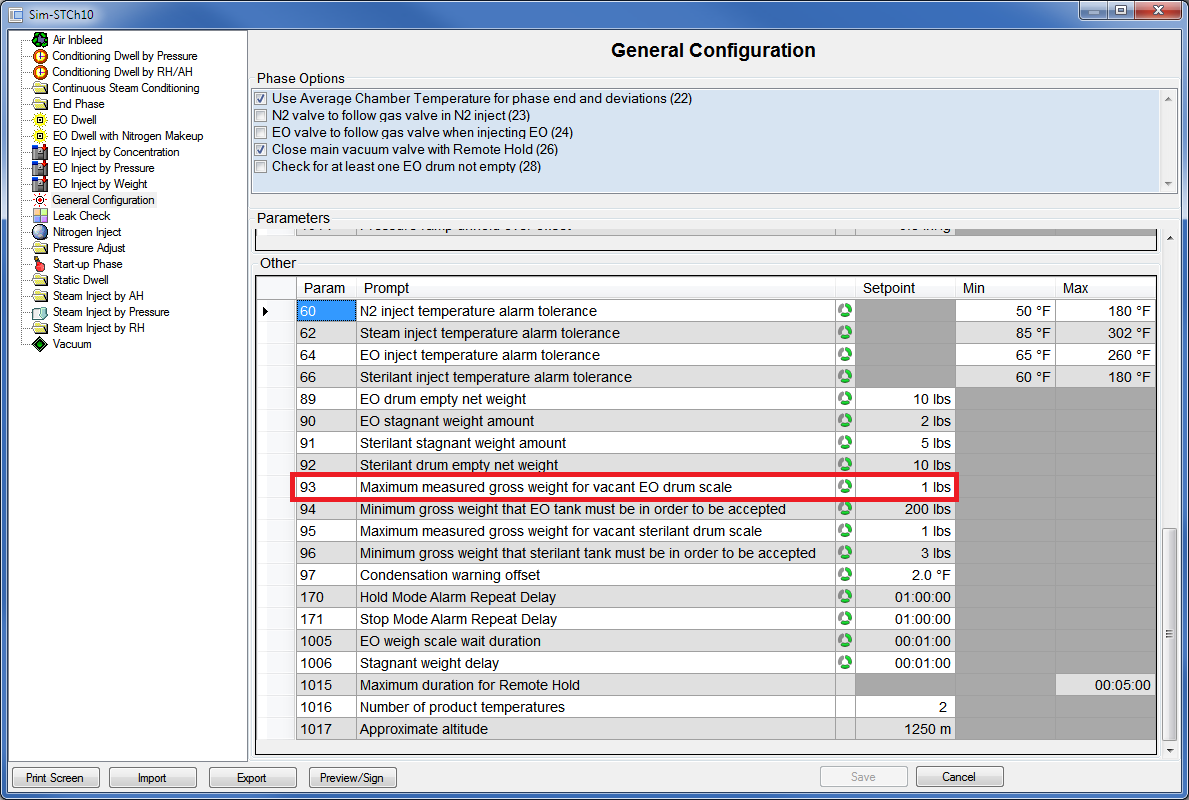
When the weigh scale measurement falls below the “Maximum gross weight allowed before EO tank is considered to be on the scale” [Parameter 93], the system will reset the “drum removal in progress" bit.
-
Drum Assignment
-
Assigning a new drum to the chamber:
-
The drum change must be allowed as described in section Drum Change Minimum Requirements.
-
When the “drum removal in progress” bit is reset, physically place the drum on the scale.
-
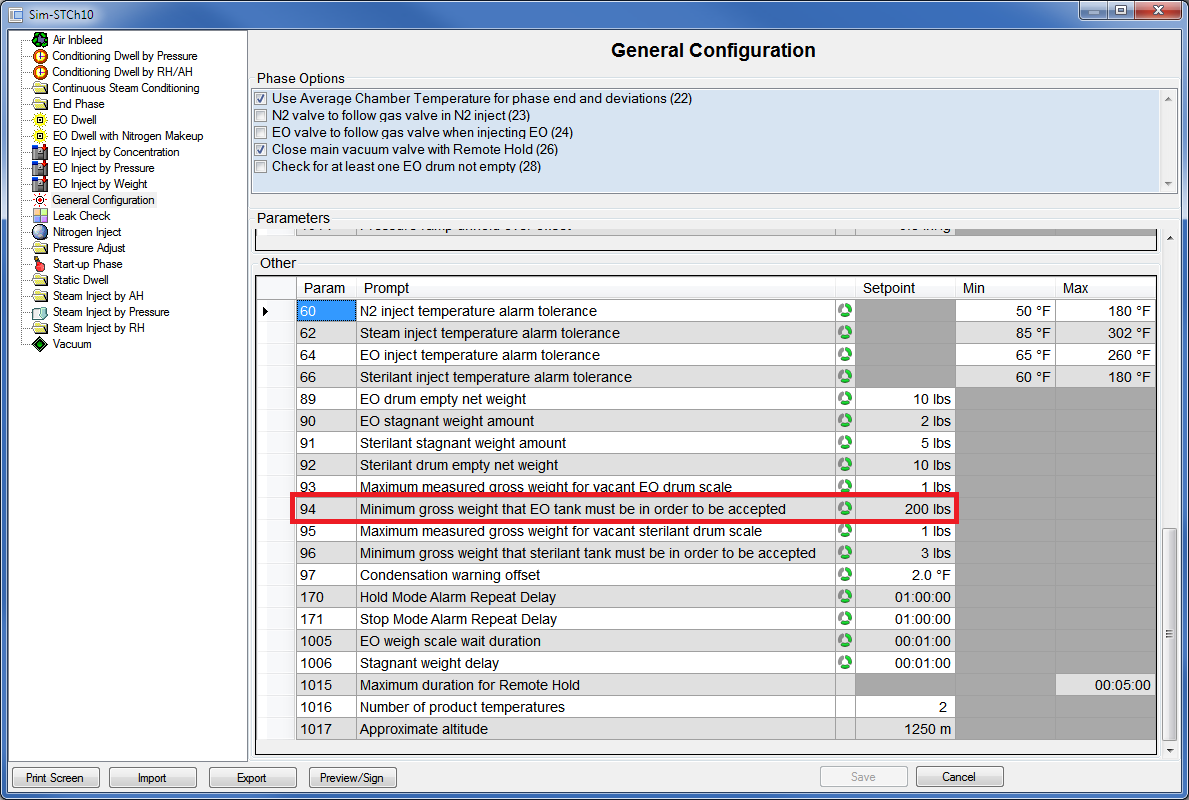
If the “OK to change drum” output is on and drum removal is not in progress, the system will require that the new drum gross weight is greater than the “Minimum gross weight that EO tank must be in order to be accepted” [Parameter 94] before accepting the drum.
-
-
Pick an unassigned drum from the database and assign it to the subsystem.
-
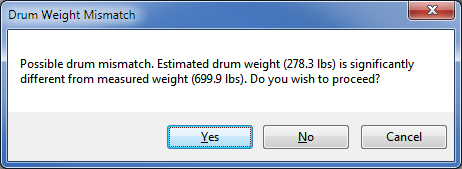
System will check the real-time weigh scale reading and compare it to the estimated value of the selected drum:
-
If different by more than 5 kg, the system will inform the user that, based on the measured weight, there could be a drum mismatch.
-
-
Confirm the drum assignment.
-
System will reset the “OK to change drum” output.